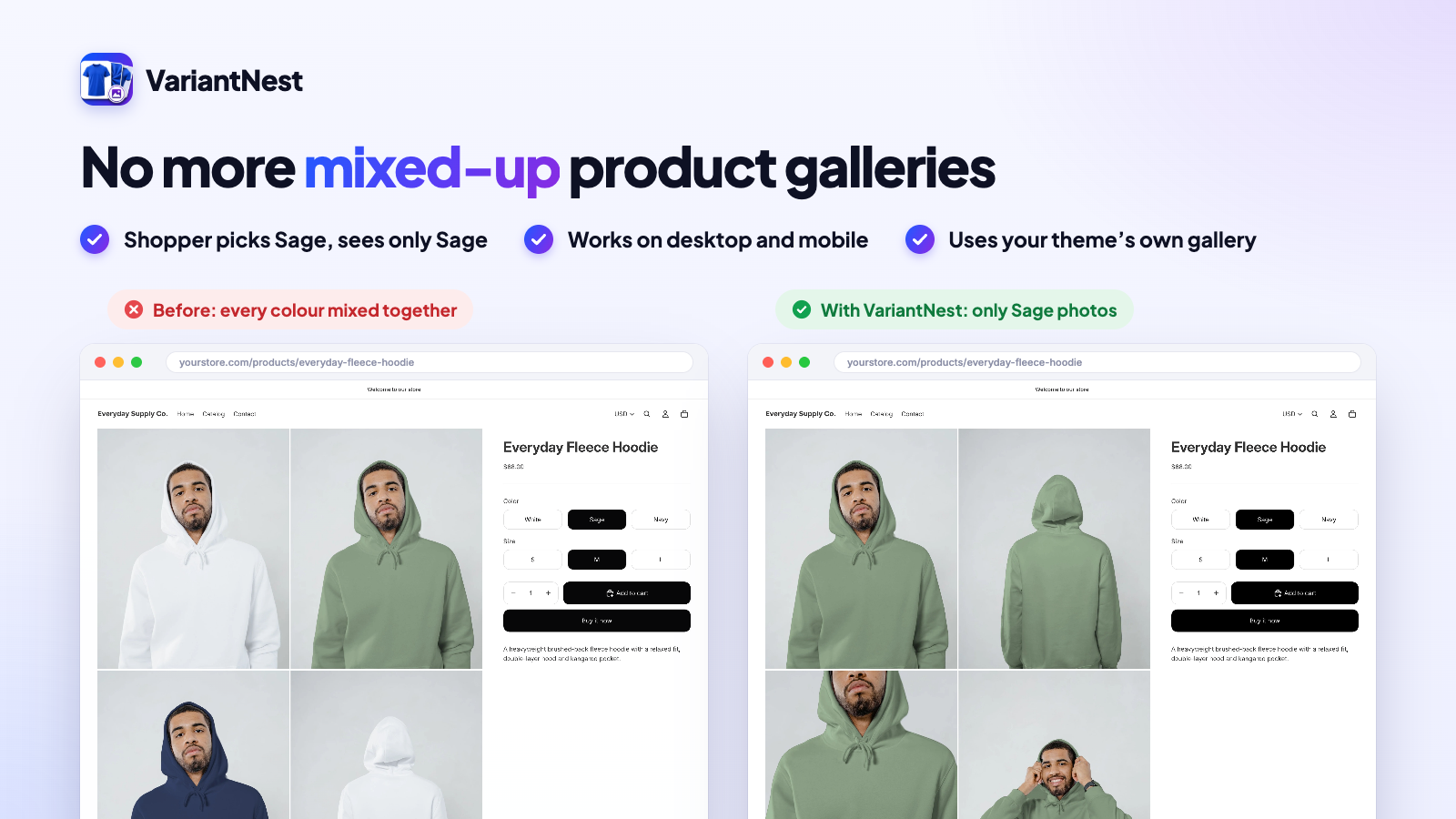
Shopper picks Navy? They see Navy. VariantNest filters your theme’s own product gallery to the selected variant — no theme code, no clunky replacement slider.
Interactive demo — pick a colour, or switch VariantNest off to see the mixed gallery shoppers get today.
Works inside your theme’s galleryDawnHorizonOnline Store 2.0 themesDesktop & mobileAdmin in 14 languages
The problem
Mixed galleries cost you sales.
By default, Shopify shows every photo of every colour on one product page. Shoppers scroll past white and navy hoodies to find the sage one they chose — or give up.
How it works
Live in three steps.
1
Install & switch on
Add VariantNest from the Shopify App Store and turn on the app embed in your theme editor. One click, no code.
2
Match photos
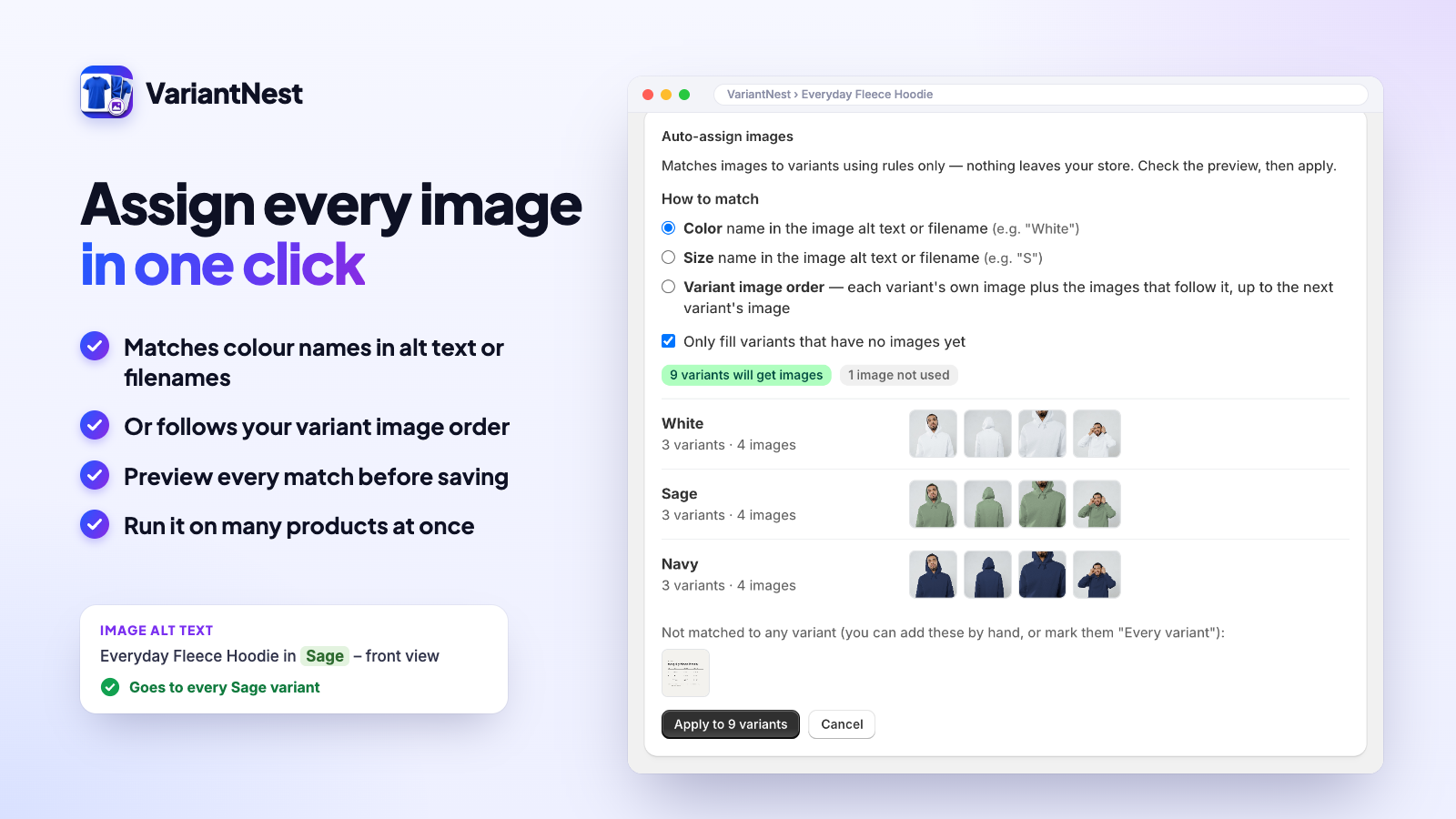
Auto-assign photos by filename, alt text or order — or pick them once per colour and reuse them across every size.
3
Shoppers see the right ones
Your theme’s gallery updates as shoppers switch variants. Prices, stock and add-to-cart keep working as before.
Features
Everything you need, nothing you don’t.
Assign every image in one click
VariantNest reads your filenames, alt text and image order to match photos to variants. Preview the matches, adjust anything, then save.
Group by colour or any option
Shared images (like a size chart) on every variant
Bulk auto-assign across products on Pro
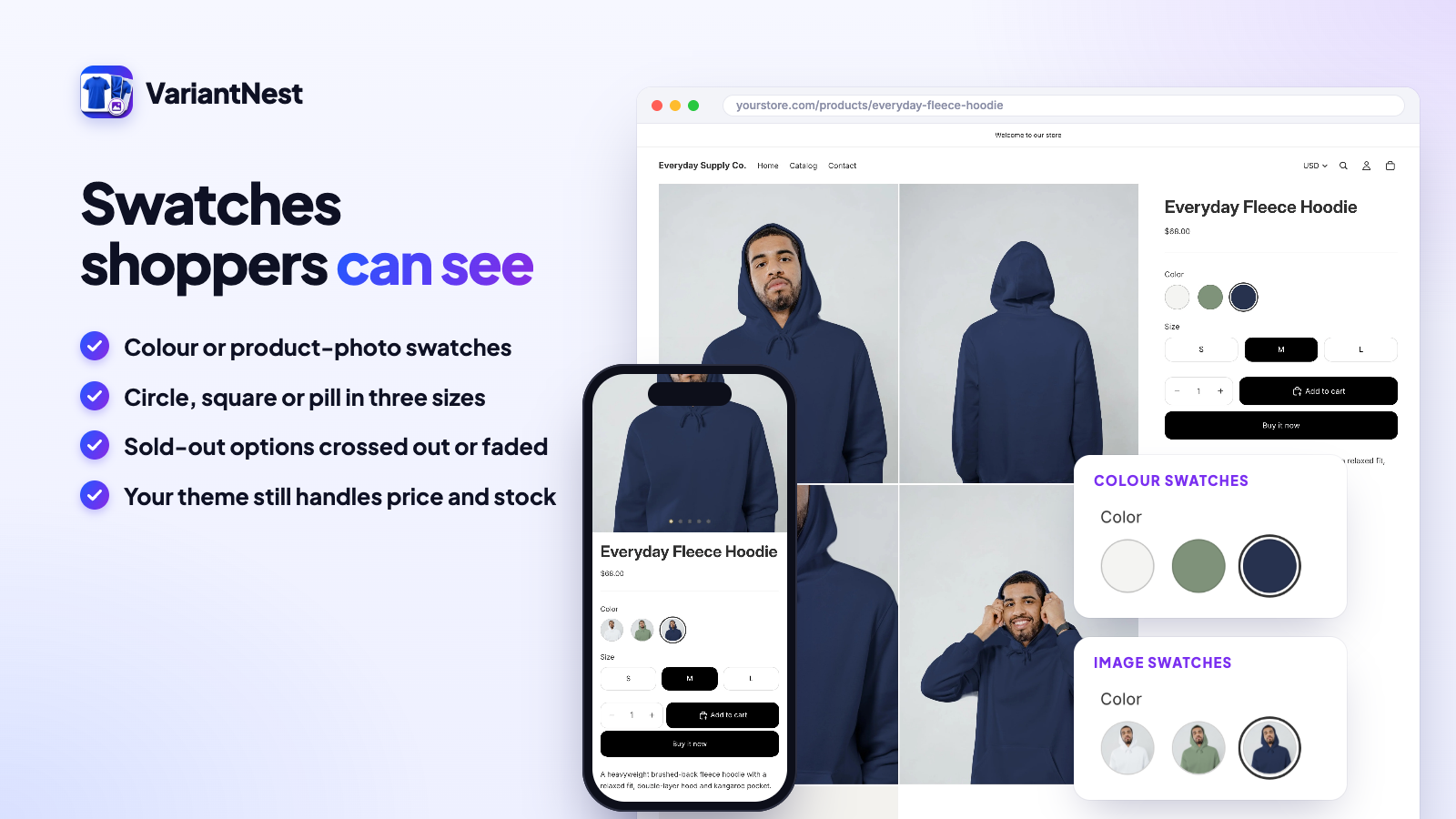
Swatches shoppers can see
Replace plain dropdowns with colour or photo swatches that match your brand, on desktop and mobile.
Colour or product-photo swatches
Circle, square or pill — three sizes
Sold-out variants crossed out or faded
Included from Basic
Built on your theme
No replacement slider. Your theme’s gallery, zoom and layout stay exactly as designed.
Spreadsheet import & export
Manage hundreds of products from a CSV — great for big catalogues and migrations.
Safe for your store
Uses Shopify metafields and an app embed. Turn it off any time and your theme is untouched.
Admin in 14 languages
English, Deutsch, Français, Español, Português, Italiano, Nederlands, 日本語, 中文, 한국어 and more.
Fast storefront
A lightweight script that works with the gallery you already have — no heavy replacement slider to load.
Free done-for-you setup
Stuck? Send us your store and we’ll set up your first galleries for you.
Pricing
Simple plans that grow with you.
Start free with up to 3 products. Paid plans include a 7-day free trial and are billed securely through Shopify.
VariantNest works inside your theme’s own product gallery, with built-in support for Shopify’s Dawn and Horizon families and most Online Store 2.0 themes. If your theme needs a tweak, we’ll help for free.
Do I need to edit theme code?
No. You turn on the VariantNest app embed in the theme editor. Switch it off any time and your store goes back to exactly how it was.
How do I assign images to variants?
Use auto-assign to match photos by filename, alt text or order, or pick them by hand once per colour. Shared images, like a size chart, can appear on every variant.
What happens if I downgrade or uninstall?
Your Shopify product images are never deleted or moved. Galleries you created stay saved, and uninstalling removes the storefront script.
How does billing work?
All charges go through your Shopify bill. Paid plans start with a 7-day free trial, and you can change or cancel your plan any time from inside the app.
Made with care by a small independent team.
VariantNest is built by THAVIQ — one founder, plenty of coffee and a lot of attention to detail. Every support email gets a personal reply, and every review genuinely helps us keep building.
 VariantNest